How to photograph the night sky and the Milky Way with a phone
A step-by-step guide for iPhone and Android: night mode, shutter speed, focus, where and when to shoot so your photo shows stars and the Milky Way instead of a black square.
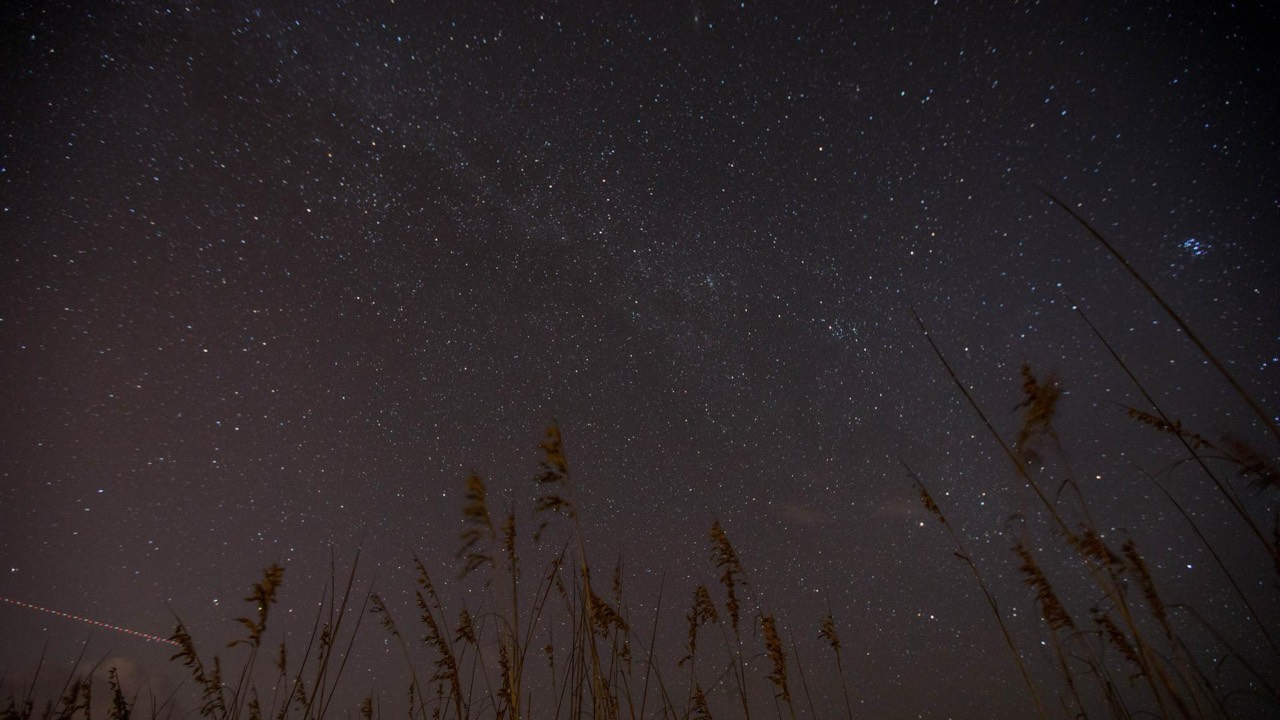
You raise your phone to the starry sky, press the button — and get a black screen with a couple of dots. Even though your eyes saw hundreds of stars. It's not the phone's fault: modern smartphones capture stars, and even the Milky Way, surprisingly well. They just need three things: stillness, time, and darkness.
The golden rule: the phone must not move
Stars are faint, and the camera needs to collect their light for seconds, not fractions of a second. That's impossible handheld: the slightest shake blurs everything into mush. The phone itself recognizes that it's stationary, and only then does it allow a long exposure.
- Best of all — a tripod with a phone holder. The cheapest one will do.
- Without a tripod — put the phone on a car roof, a rock, a backpack, or lean it against a post. With the lens facing up, you can lay it right on the ground.
- Don't press the button with your finger — that makes the phone shake. Set a 3-second timer or shoot with the volume button on your headphones.
iPhone
Night mode is available on iPhone 11 and newer. It turns on by itself when it's dark: a yellow moon icon with a number of seconds appears in the corner.
- Open the camera in Photo mode, 1× lens — it has the fastest optics.
- Put the phone on a support. After a couple of seconds the icon will show not 3 but 10 or 30 seconds — the phone has realized it's on a tripod.
- Tap the icon and slide the slider to maximum.
- Turn off the flash and enable the 3-second timer.
- Shoot and don't touch the phone while the countdown runs.
Pro models, starting with iPhone 12 Pro, can shoot at night in ProRAW — it holds more detail for processing.
Android
Most Android phones have their own night mode, and many have a dedicated astrophotography mode.
- Google Pixel: Night Sight mode. On a tripod it automatically switches to astrophotography and shoots for up to 4 minutes.
- Samsung Galaxy: Pro mode or the Expert RAW app, which has a separate Astrophoto mode.
- Xiaomi, Honor, Huawei and others: Pro (manual) mode or Night / Starry Sky mode, if available.
Manual settings for Pro mode to start with:
| Parameter | Value |
|---|---|
| Shutter speed (S) | 10–30 seconds |
| ISO | 1600–3200 |
| Focus (MF) | at infinity — slider all the way to the mountain icon, then a touch back |
| White balance | 3800–4500 K |
| Format | RAW, if available |
Take a test shot and look at it zoomed in. Stars are blurry blobs? Fine-tune the focus. Sky too bright? Lower the ISO or the shutter speed. Stars turn into streaks? The exposure is too long, reduce it to 15 seconds.
Where to shoot
You can't shoot the Milky Way in the city. It's not a camera issue: light pollution from streetlamps is tens of times brighter than it. The brighter stars will come out, the Milky Way won't.
You need to get at least 50–100 km away from a big city. The darker the sky, the better the result. Aim for Bortle class 3–4 or lower. What that means and how to find such a place — see the article "The Bortle Scale" and the light pollution map.
Include something terrestrial in the frame: a tree, a house, a mountain ridge, grass. A shot with a horizon looks far more alive than just sky.
When to shoot
No Moon. A full Moon floods the sky with light no less than a city does. The best time is the week around new moon. Moon phases and moonset times — on the "Moon today" page.
On a clear night. A thin haze invisible to the eye turns the sky into a murky gray blob in a photo. Hourly cloud cover and transparency — in the astroweather.
Summer and early autumn — for the Milky Way. At mid-northern latitudes the brightest part is visible from July to September, low in the south in the evening, while overhead a band runs through Cygnus. The winter Milky Way exists too — through Perseus, Auriga and Orion — but it's fainter.
June is hard at mid-northern latitudes. White nights: the sky never gets fully dark, and there are few stars even outside the city.
A bit of processing
A phone photo almost always benefits from a couple of tweaks in any editor, even the built-in one:
- Contrast — a little more, so the sky gets darker and the Milky Way stands out.
- Highlights — a little less, if the horizon is blown out.
- Temperature — a little cooler, to remove the orange tint of light pollution.
- Noise — don't remove it completely, or the faint stars will vanish along with the noise.
FAQ
Can I shoot stars without a tripod?
Yes, if you put the phone on something stationary. Handheld you'll only get a few of the brightest stars and the Moon.
Why are there more stars in the photo than I can see with my eyes?
The eye "accumulates" light for about a tenth of a second, while the camera does so for 10–30 seconds. In that time it collects the light of stars too faint for the eye.
Why does the photo come out orange?
It's light pollution from the sodium streetlamps of the nearest city. Shift the white balance cooler or drive farther away.
Which phone is best for stars?
Any recent flagship will do: iPhone 13 and newer, Google Pixel 6 and newer, Samsung Galaxy S22 and newer. But even the best phone in the city will shoot worse than a mid-range one under a dark sky.
Can I shoot the northern lights with a phone?
Yes, and the phone often sees them better than the eye. The settings are the same, with a shutter speed of 3–10 seconds. When to expect auroras at mid-northern latitudes — see the article "Northern lights in Moscow".
A good sky photo is half about the right night: no Moon, no clouds, and far from the city. The AstroTools app will tell you which night will be clear and dark, when the Moon rises, and where the nearest dark sky is.
Plan your observing with AstroTools
Weather, the Moon, light pollution and satellite passes — in one app.